Why this exists as a case study
A homelab cluster isn’t a research project. It’s infrastructure — the kind of thing you build because you need it, not the kind of thing that gets written up. So why is it here?
Because the cluster is load-bearing for everything else. NeuroMatrix’s cross-scale validation, Fabrica’s transient-engine benchmarks, the 25,100-neuron simulations in the MWSCAS paper — all of it runs on NCS. And the design choices that made the cluster work at homelab scale (k3s instead of full Kubernetes, gRPC over commodity networking, careful workload partitioning to keep DDR3 bandwidth from becoming the bottleneck) are the same choices that make distributed neuromorphic simulation possible without paying for a real datacenter. The cluster is the project that taught me what substrate-aware code actually means, and that instinct shows up in everything downstream.
The other reason this is worth writing up: there’s a thesis the cluster has been quietly proving for five years that’s worth saying out loud. The hardware industry’s narrative is that compute progress comes from new silicon — DDR5, PCIe 5.0, 100 GbE, the latest Xeon. The narrative is true, but it’s not the whole story. A 2010-vintage Xeon X5650 has six cores at 2.66 GHz with proper SMT, and a rack of them on DDR3 and 1 GbE can do real work — including research-grade neuromorphic simulation — as long as the code respects what the substrate can and can’t do. The bottleneck is rarely the silicon. The bottleneck is usually the code’s assumptions about the silicon.
The first build (2020)
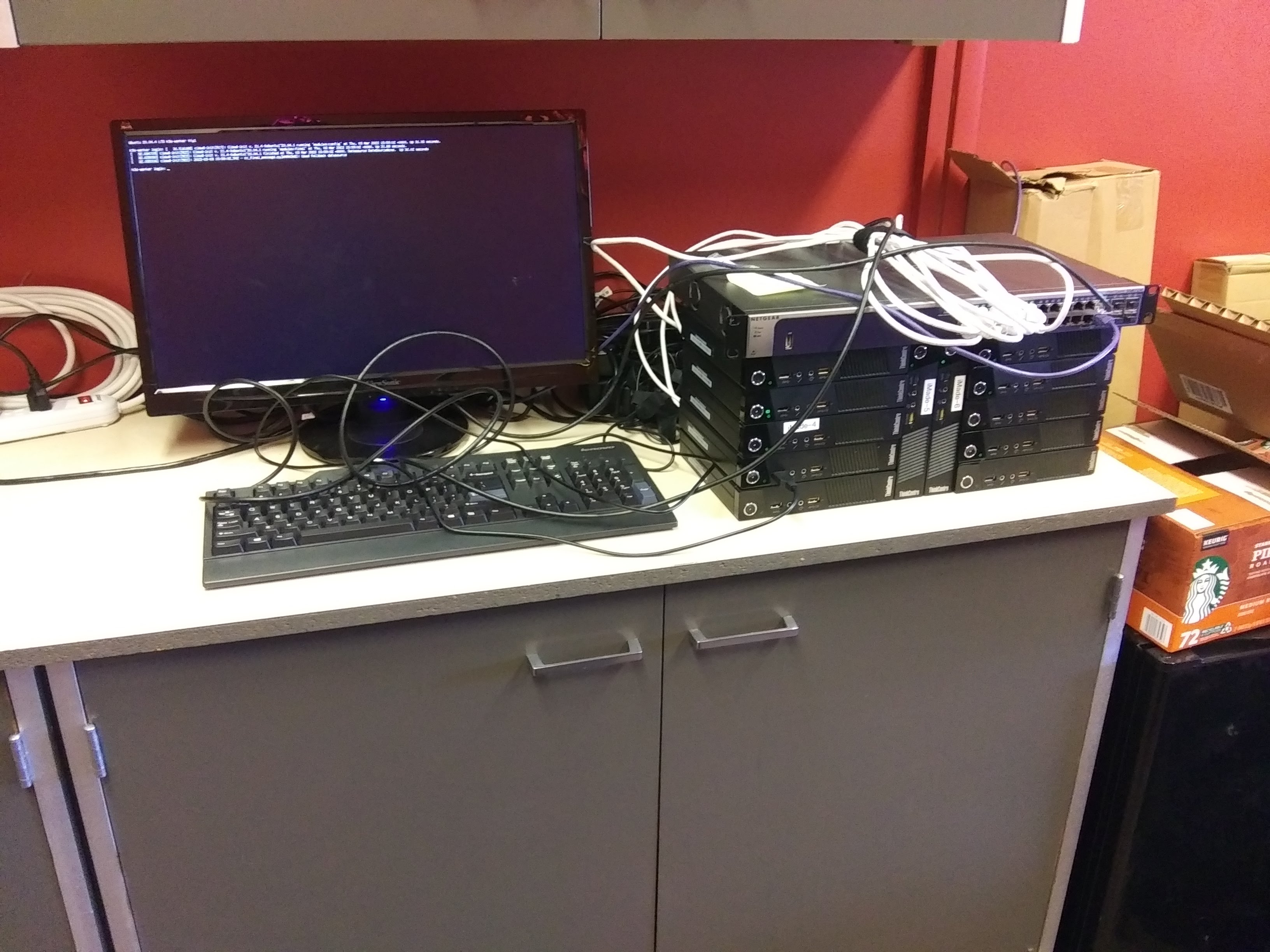
The first cluster was twelve Lenovo ThinkCentre minicomputers — small-form-factor business desktops with whatever CPU, RAM, and storage the manufacturer specified — connected to an unmanaged switch on a lab bench. They were the kind of machines that get replaced in offices every five years and either get e-wasted or repurposed; mine got repurposed.
The first job was Folding@home. The pandemic was on, Stanford was running a distributed compute project on protein dynamics related to viral targets, and the cluster gave me an excuse to point twelve mostly-idle machines at something useful while I learned how to actually orchestrate them. Folding@home is undemanding by modern standards — embarrassingly-parallel work units, no inter-node communication, no shared state — which made it a forgiving first workload. The cluster’s job was to exist, run the client on every node, and produce points for the team. It did that.
The second job, almost immediately, was the orchestration itself. Twelve machines is enough that you don’t want to manage them by hand. I installed k3s — the lightweight Kubernetes distribution from Rancher, designed to run on resource-constrained nodes — and started using it as a learning surface. Deploy a service, watch it land on a node, kill the node, watch the service migrate. Run a stateful workload, configure persistent volumes, observe what happens when the underlying storage gets pulled out from under it. Most of what I know about Kubernetes operationally came from breaking this cluster in small ways and figuring out how to recover it.
The lesson from the first build that stuck: commodity hardware plus lightweight orchestration is a lot of capability for the price of running it. k3s on twelve ThinkCentres isn’t going to compete with a managed Kubernetes cluster on a cloud provider, but it doesn’t have to — it has to work for the workloads I actually have, which are bursty, batch-shaped, and tolerant of node-level failures. That’s a workload class that fits the homelab shape perfectly, and the cloud’s economic model is overkill for it.
The intermediate revision (2022–2023)
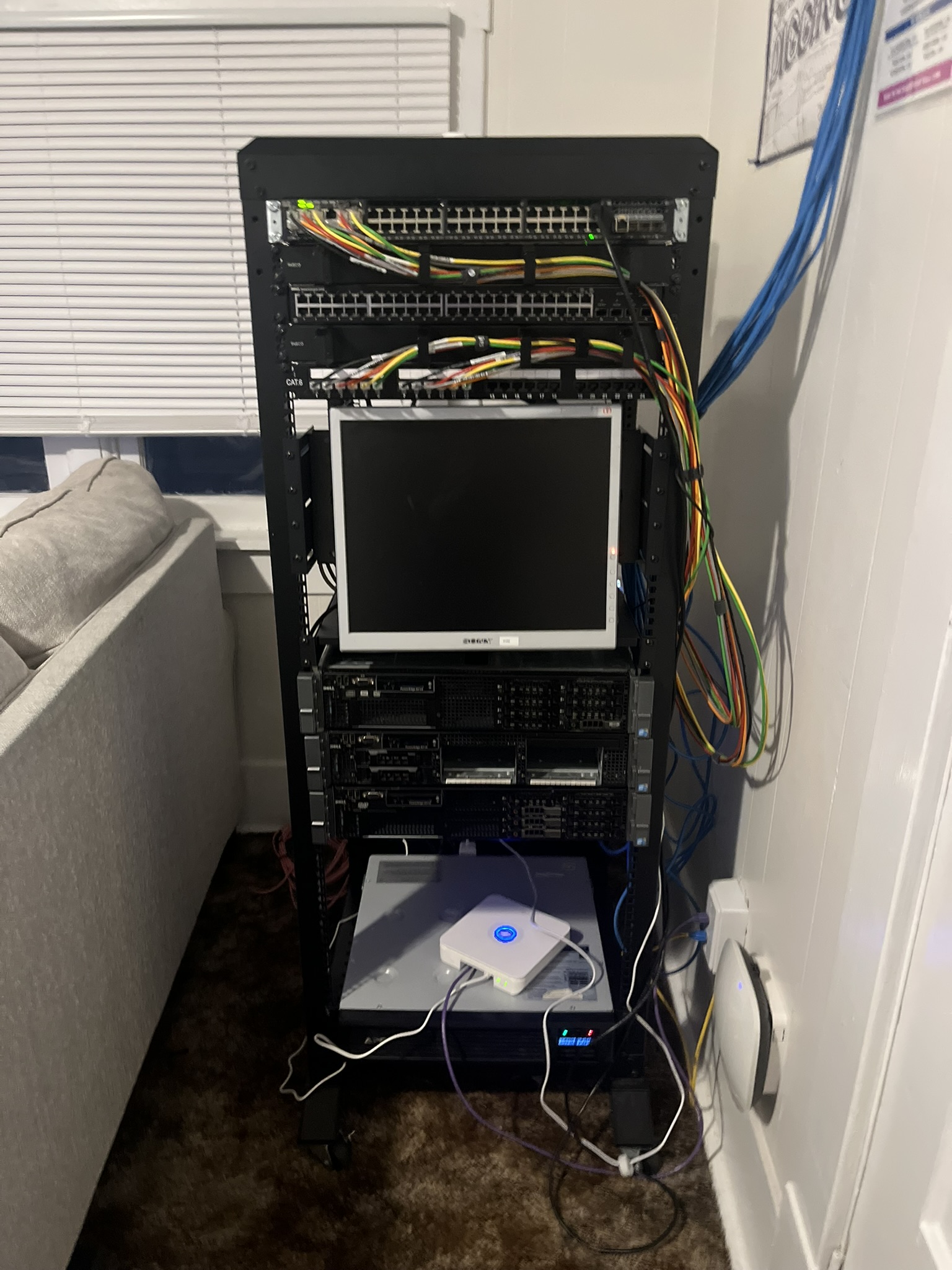
By 2022 the ThinkCentres were holding the cluster back in specific ways: limited RAM (most had 8–16 GB), no IPMI/iDRAC for out-of-band management, single power supplies, consumer-grade NICs. The ceiling on what I could ask the cluster to do was getting clearer, and the answer was an architectural step rather than another generation of consumer hardware.
I moved to Dell PowerEdge R710s. The R710 is one of the canonical homelab servers — released around 2009–2012, two-socket, supports six-core Xeons, supports up to 144 GB of DDR3, has iDRAC for out-of-band management, has redundant power supplies, has front-bay drive slots, has actual enterprise-grade NICs. The hardware was nearing fifteen years old when I bought it; the secondhand market for R710s is mature enough that you can build a multi-node R710 cluster for less than the cost of one modern node. Mine ended up with Xeon X5650s (six-core, 12-thread, 2.66 GHz base / 3.06 GHz turbo, 2010 vintage), 96 GB of DDR3 ECC per node, 3 TB of spinning disk, and 1 GbE networking.
The migration from the ThinkCentre cluster to the R710 cluster was an exercise in itself. k3s migrated cleanly — the orchestration was already abstract over the hardware — but the storage required attention (the R710s’ RAID controllers needed configuration, the persistent volumes had to be re-laid-out across the new spindles), and the network topology shifted to take advantage of the R710s’ multiple NICs (one for cluster traffic, one for storage, one for management). The cluster gained an order of magnitude in capability, but the architectural shape stayed the same: lightweight orchestration on commodity nodes, no exotic hardware.
This is also the period where the cluster picked up non-Folding workloads. I ran personal services on it — a Git server, monitoring infrastructure, a couple of databases for projects — and used it as the staging environment for whatever I was working on at the time. The cluster stopped being a “Folding@home machine” and started being my computer that happens to have twelve nodes.
The current revision (2024–)
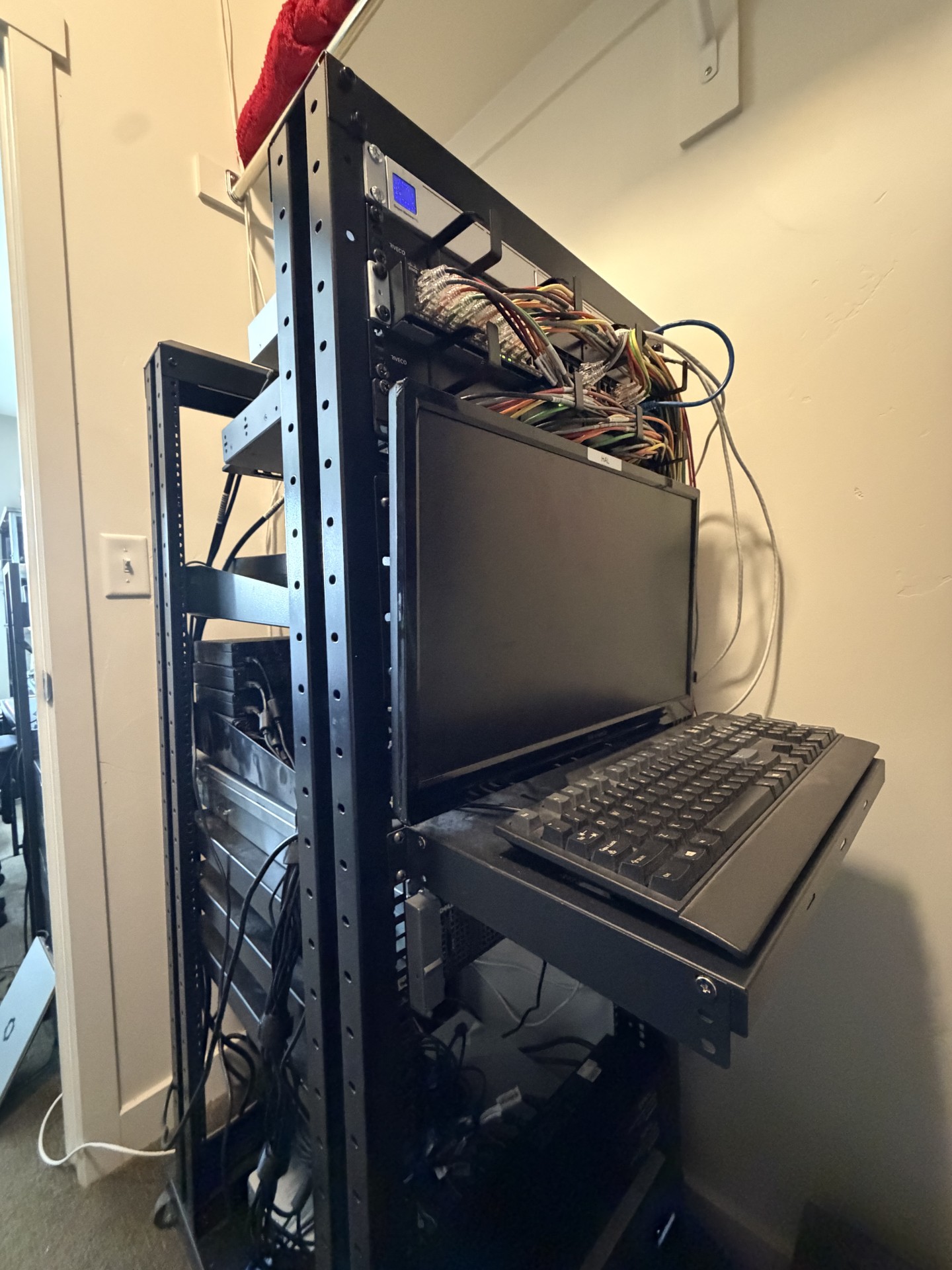
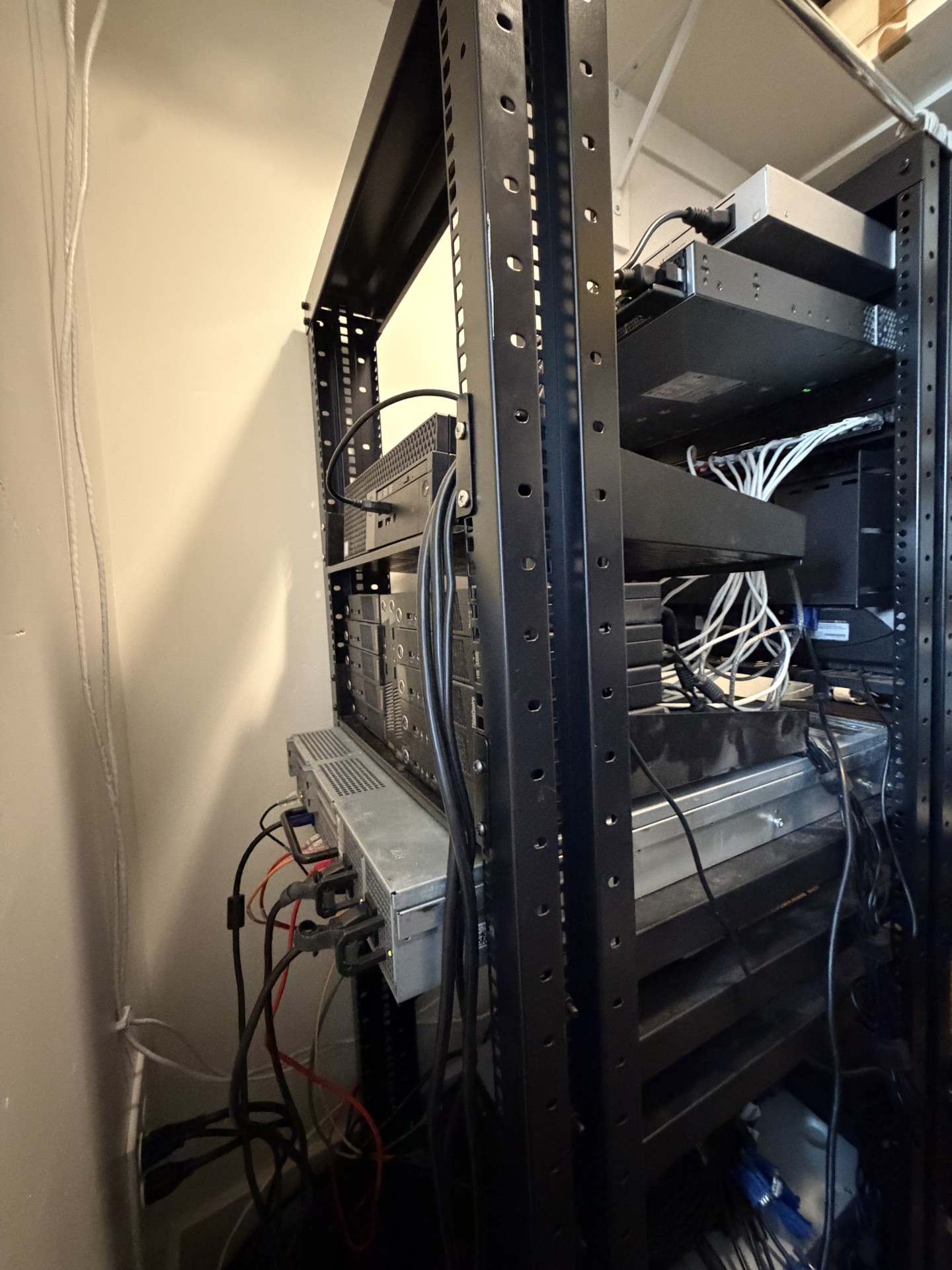
The current cluster is the R710 fleet plus a complement of Dell OptiPlex micro-form-factor machines that handle the lightweight coordination work. The R710s are the workers — they hold the RAM and the cores that NeuroMatrix’s simulations need. The OptiPlex nodes run the k3s control plane, the monitoring stack, and lighter-touch services that don’t justify a full server’s worth of power draw. The split keeps the R710s available for compute rather than management overhead, and lets the OptiPlex nodes earn their power budget by doing real work.
The hardware shape hasn’t changed dramatically since the R710 migration. The DDR3, the 1 GbE, the spinning storage — all still there. What’s changed is what runs on top.
What it runs now
The cluster’s current job is to be NeuroMatrix’s simulation backend. The workflow:
- Fabrica (my analog EDA toolchain) generates a Circuit IR from a NeuroMatrix architecture description — typically the 25,100-neuron hierarchical network the MWSCAS paper validates.
- A custom gRPC layer distributes the network across the cluster: each R710 worker handles a region or sub-region, with the connectivity between regions expressed as gRPC streams.
- k3s schedules the worker processes onto the R710 nodes, handles restarts on failure, and exposes the cluster’s health to the monitoring stack.
- Results aggregate back to a master process that writes the simulation outputs to shared storage and triggers the analysis pipeline.
The choices that made this work on old hardware:
- gRPC instead of MPI. MPI is the conventional choice for HPC workloads, and it’s optimized for low-latency synchronous communication over fast networks. NeuroMatrix’s communication pattern doesn’t need low-latency synchronous; it needs event-driven asynchronous, because spikes are sparse and arrive at unpredictable times. gRPC fits that pattern naturally, doesn’t assume a fast network, and degrades gracefully when one is slow.
- Event-driven from the start. Each region’s worker process spends most of its time idle, woken up by incoming spike messages. CPU utilization across the cluster averages around 15% during a simulation — the cores aren’t busy, they’re event-bound. This is the part that makes 1 GbE adequate: the network only carries spikes, spikes are sparse (0.71% mean instantaneous sparsity for the 25,100-neuron network), and 1 GbE has plenty of headroom for the resulting traffic.
- Working-set sizing for DDR3 bandwidth. DDR3 is slower than DDR5 in obvious ways (~25 GB/s per channel vs ~50 GB/s). The non-obvious way to lose to DDR3 is to write code that thrashes the cache and demands random-access bandwidth the channels can’t provide. The non-obvious way to not lose to DDR3 is to size the working set so it fits in L3 (the X5650’s 12 MB) and keep the streaming patterns predictable. Both of those are properties NeuroMatrix’s per-region working set has by design.
- Storage as cold, not hot. The 3 TB spinning disks are slow, but the simulation doesn’t read or write storage on the hot path — checkpoint state and output traces get written between simulation phases, not during them. Treating storage as cold lets a workload that would be I/O-bound on a naïve implementation be effectively I/O-free.
The result is that a network of 25,100 neurons, running 50 ms of biological time with full STDP plasticity and millisecond-resolution recall traces, completes in roughly the time it takes to make coffee. None of the individual numbers are impressive in isolation; the combination — old CPUs, old RAM, slow network, simple orchestration — produces research-quality output because the code respects what the hardware actually does well.
The terminal moment
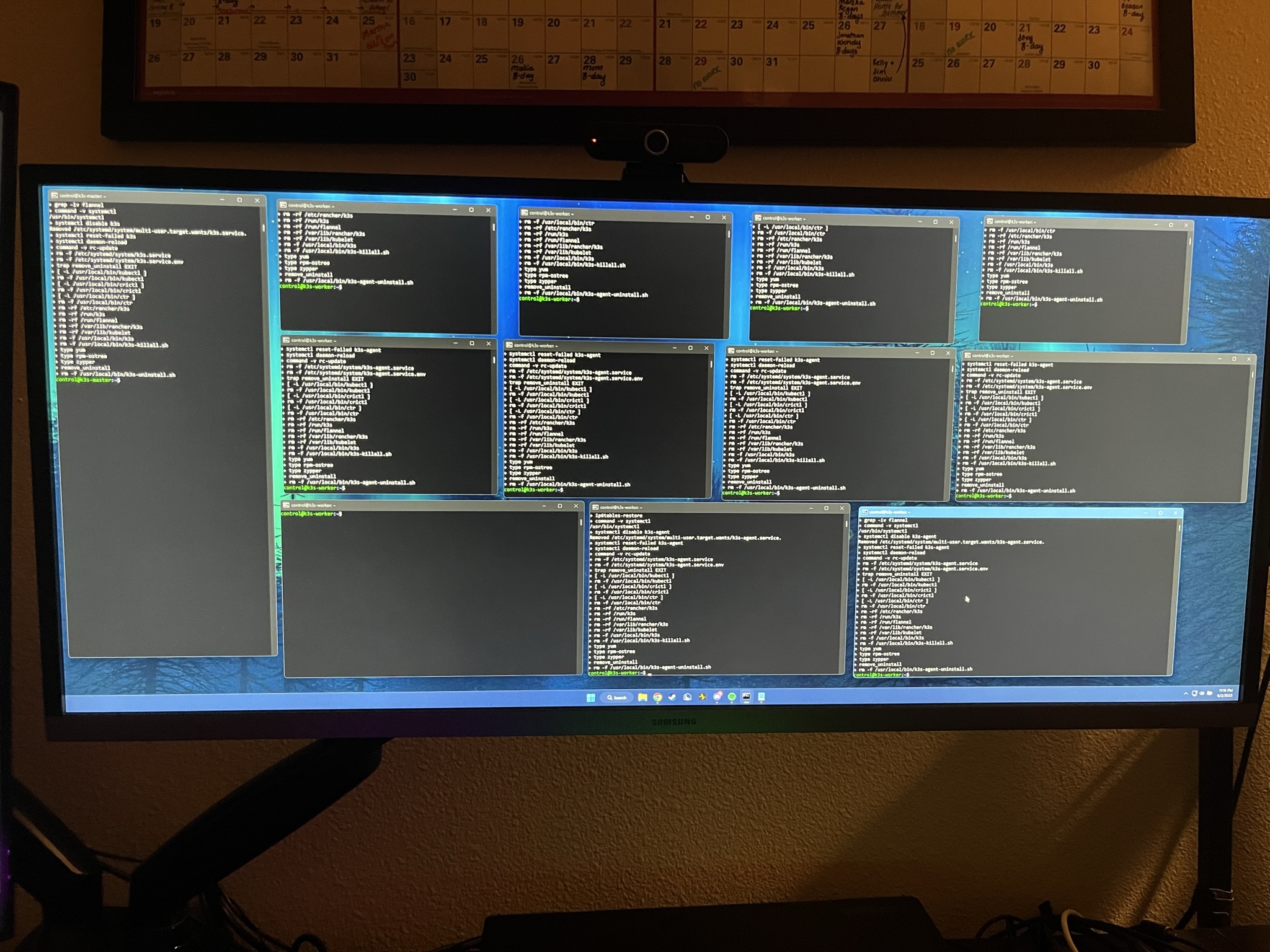
The photo above is my desk during a deploy. Twelve SSH sessions tiled across the monitor, each one showing the same command running on a different node. It’s an unglamorous moment in the cluster’s life — no neural networks, no research, just confirmation that the cluster does what you ask it to. But it’s the moment I keep going back to in my memory of this project, because it’s the most direct evidence that the abstraction is working: twelve different machines, twelve different operating-system instances, twelve different physical drives spinning twelve different sets of bytes, and from my desk they read as one system.
That’s the cluster’s whole thesis, condensed into a screenshot.
The argument the cluster makes
I want to be explicit about the thesis the cluster has been quietly proving for five years, because it cuts against the dominant narrative in computing infrastructure right now.
The narrative says: progress is hardware. Newer CPUs, faster RAM, more interconnect bandwidth, more PCIe lanes, more cores. The flagship Xeons advertise hundreds of cores; the flagship interconnects move terabits per second; the flagship memory subsystems deliver hundreds of gigabytes per second of bandwidth. All of these are real and they’re not nothing.
The narrative also implies its converse: that old hardware can’t do real work. A 15-year-old Xeon is “obsolete.” A DDR3 channel is “slow.” A 1 GbE link is “a bottleneck.” These descriptions are true in benchmark contexts. They’re misleading in real-workload contexts, because most real workloads aren’t bottlenecked on the dimension the benchmark measures. A workload that’s event-driven and sparse doesn’t care how fast the link runs at full pipe; it cares whether the link can carry a few thousand events per second, which 1 GbE can do twenty thousand times over.
The cluster’s argument: write code that respects the substrate, and the substrate stops being the bottleneck. That’s not a new idea — it’s been said before, by people who know more than I do, in various forms — but it’s an idea you only really internalize by doing it. Five years of running real workloads on hardware nobody else wanted has been my version of that internalization. NeuroMatrix runs on the cluster not because I’m waiting for better hardware, but because the cluster is the right shape for the workload, and being the right shape matters more than being recent.
There’s a corollary worth naming. The carbon and resource cost of keeping a 2010-vintage server doing useful work for fifteen more years is much smaller than the cost of replacing it with new silicon — even accounting for the new silicon’s better perf-per-watt. Sustainability is a code problem too. The R710s in my rack are emitting a fraction of the embodied CO₂ they would if I’d bought their modern equivalents, and they’re doing the work I need them to do. Both of those statements are true at once.
What’s next
The cluster will probably grow before it shrinks. The neuromorphic computing roadmap I’m working on includes scaling NeuroMatrix to the 100K-neuron and eventually 1M-neuron range, which will push the cluster’s resources harder than the current 25,100-neuron workload does. The plan there is the same plan that’s worked for five years: add nodes, refine the workload partitioning, keep the architectural shape simple, and only buy new hardware when there’s a workload property I genuinely can’t get out of the current substrate. As of writing, there isn’t.
There’s also a longer-term direction where the cluster becomes a development substrate for what NeuroMatrix-on-physical-silicon would look like. If a future generation of NeuroMatrix is a PCIe card with a million analog neurons on it, the question of how a host CPU should talk to that card — what abstractions, what APIs, what failure modes — gets answered by running the same workload against a software cluster first. The cluster is the place that question gets to be cheap.
If you’re considering building a homelab or wondering whether the secondhand-enterprise-server route is worth it — yes, with conditions. The cluster needs to have a real job for it to earn its power bill; “I might want to run something on it someday” isn’t enough. But if you have a workload that needs a few hundred GB of RAM and a few dozen cores and you’re willing to write code that respects what old hardware is good at, an R710 fleet on the secondhand market will outperform its price tag by an order of magnitude. Email me if you want to compare notes.