Why this post exists
Most of the case studies on this site are projects. This one is a job — three and a half years (and counting) of student network tech work at Gonzaga IT Services. It’s worth a writeup for a specific reason: the things I learned here show up everywhere else on this portfolio, often in ways that aren’t obvious until you trace the line backward. The distributed-systems instincts in NeuroMatrix, the edge-architecture instincts in Ensemble, the willingness to treat the physical layer as a real engineering problem in EN-59 — all of that traces back to standing in front of a rack at 9 PM trying to figure out why an IDF is dropping STP and what cable to pull on first.
The role doesn’t have one project. It has many, layered. I’ll anchor the post on three of them — the EVPN/VXLAN fabric migration, an LLDP mapper I wrote, and the 802.1X rollout — and let the reflection happen around them.
The campus, briefly
Gonzaga’s main campus is about 60 buildings on roughly 152 acres in Spokane. The IT infrastructure supports 5,000+ endpoints — dorm rooms, faculty offices, classroom AV, lab equipment, IoT, the whole stack a modern university puts on a network. The legacy design was the standard three-tier campus network — access switches in IDFs (Intermediate Distribution Frames, one per building or wing), distribution switches aggregating those, a pair of core switches at the top. It worked for a decade. By the early 2020s it was running into the limits of any three-tier campus: spanning-tree blocking links that could have been carrying traffic, VLAN sprawl, slow failover, and the basic problem that every link between layers is a potential bottleneck.
The current design is an HPE Aruba EVPN/VXLAN fabric. That migration is the work that’s defined most of my time here.
Project 1: the EVPN/VXLAN fabric
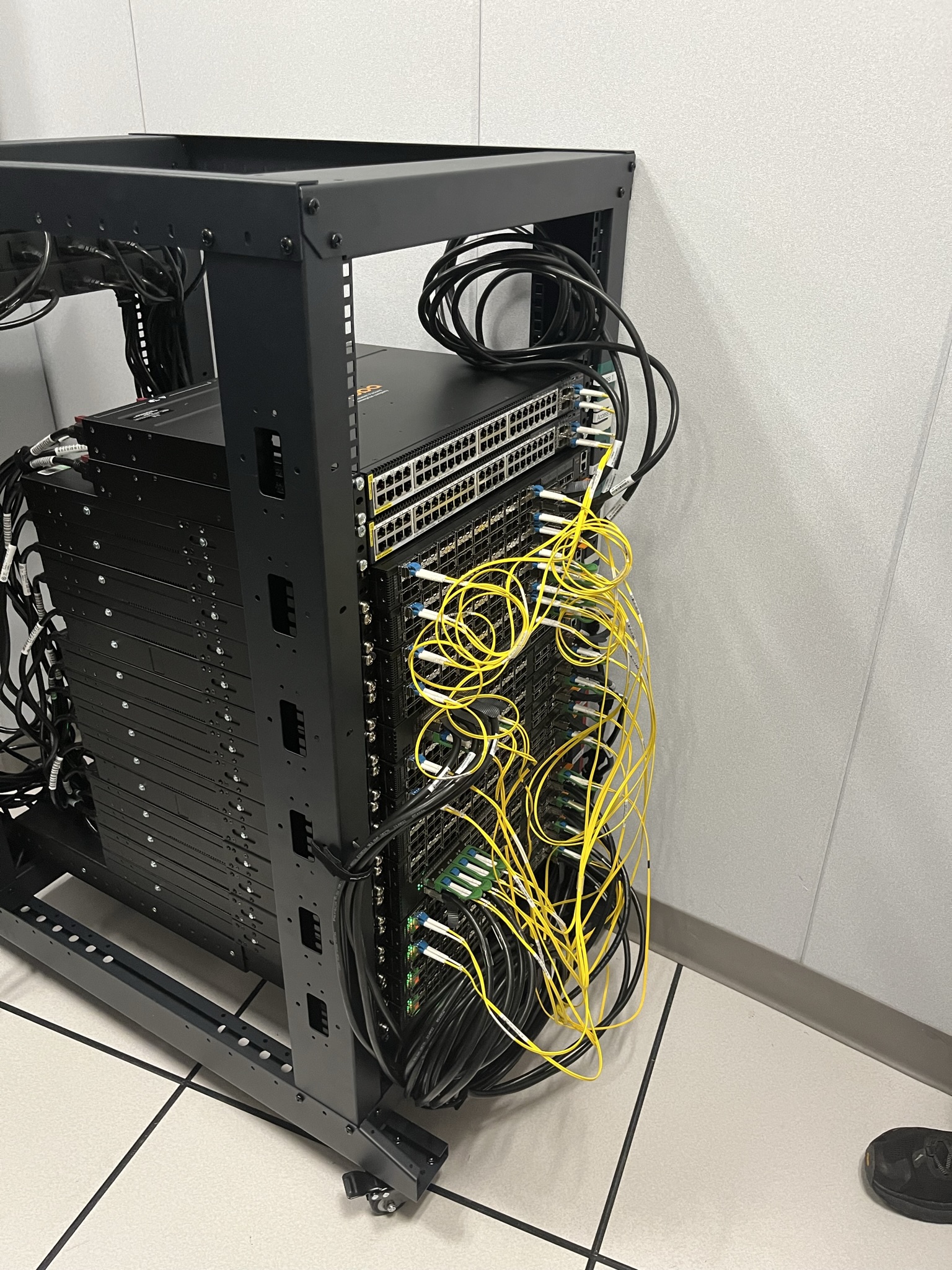
The replacement architecture is a leaf-spine fabric: 4 spine switches at the top, 16 leaf switches distributed across the campus, every leaf connected to every spine with a 100 Gb link. Below the leaves, each building’s IDF aggregates its access switches to its parent leaf via a 50 Gb LACP LAG over single-mode fiber. EVPN (Ethernet VPN) handles the control plane — leaves advertise their connected MAC/IP information to spines via BGP, and the spines distribute the resulting routing information to every leaf in the fabric. VXLAN handles the data plane — Ethernet frames get tunneled inside UDP packets, so a host plugged into a leaf in one building can be on the same Layer 2 segment as a host plugged into a leaf in another building, without any actual Layer 2 stretch between them.
The mental shift, for me, was understanding why this is so much better than three-tier. In the old model, the campus had maybe two paths between any two endpoints, and STP turned off one of them. In the fabric, every leaf has four paths to every other leaf (one through each spine), and ECMP uses all of them simultaneously. Failover is sub-second because BGP withdraws routes instantly when a link drops, and the fabric reconverges around the remaining paths. There’s no spanning tree at the core because there are no loops in the physical topology — leaves only connect to spines, spines only connect to leaves, and that’s the whole graph.
What I actually contributed to the migration:
- VLAN-to-VNI mapping. Every legacy VLAN had to be mapped to a VXLAN Network Identifier (VNI). For most VLANs this was mechanical, but some had historical baggage — overlapping subnets, ACLs that referenced specific VLAN IDs, devices hard-coded to expect certain DHCP scopes — and I worked through the per-VLAN mapping table with the senior network team.
- Cutover planning for individual buildings. Migrating a building from the legacy network to a fabric leaf is a maintenance-window operation. You stage the leaf, pre-provision the new VLANs/VNIs, prep the fiber and switch ports, then on the night of cutover you re-patch and test. I planned and ran cutovers for several buildings, mostly student-housing and admin buildings, where the blast radius of getting it wrong was high but the user expectations were also tolerant of a 2 AM maintenance window.
- Validation testing. Before any cutover, the new infrastructure has to pass a battery of checks — VTEP reachability, VLAN/VNI translation across the fabric, EVPN route propagation, ECMP behavior under simulated link failure, multicast handling for the small number of legacy applications that depended on it. I ran these against the test rack and built a checklist that’s now part of the cutover playbook.
- Documentation. Less glamorous, more necessary. Every fabric change gets documented — what changed, what the rollback is, what was tested. This sounds bureaucratic but it’s the thing that makes the network operable by someone who isn’t the engineer who built it.
The lesson I keep coming back to: the architecture is only half of it. Designing a leaf-spine fabric is the easy part — there are good reference designs from Cisco, Arista, HPE, and the textbook. The hard part is migrating the live campus to it without dropping anyone, without losing the institutional knowledge about which buildings have weird wiring, and without breaking the dozens of services that depend on the network in ways nobody documented. That’s the actual work, and it isn’t in any reference design.
Project 2: the LLDP mapper
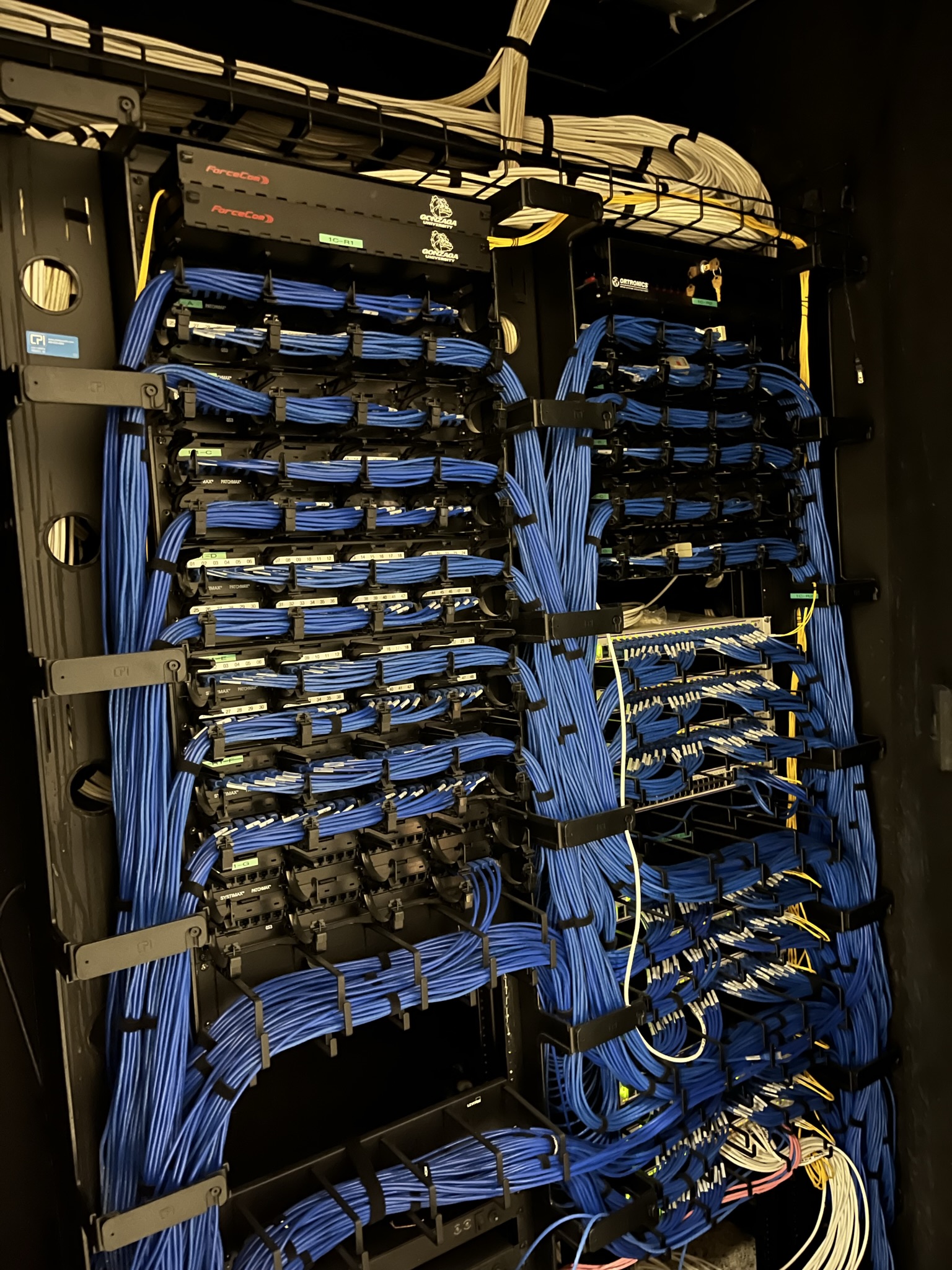
This is the project I’m most attached to from the role, partly because it was mine to design end-to-end and partly because it solved a real problem the documentation couldn’t.
The problem. A campus this size has thousands of switch ports across hundreds of switches in dozens of IDFs. The institutional record of “which port is which endpoint plugged into” is a combination of switch labels, spreadsheets, an asset management system, and tribal knowledge. All four of those drift. When a service ticket says “the network is broken in room 217 of building X,” the first task is usually figuring out which port in which switch that room maps to, and that’s often more work than fixing whatever the actual problem is.
The observation. Endpoints already know which switch port they’re plugged into — every modern operating system reads LLDP (Link Layer Discovery Protocol) frames from the adjacent switch when it boots. The information is there, on every endpoint, all the time. It just isn’t aggregated anywhere.
What I built. A lightweight cross-platform app that runs on faculty/staff laptops, periodically pulls the LLDP neighbor info from the local network interface, and posts it to a Firestore backend. Each report includes the laptop’s identifier, the switch system name, the switch port, the VLAN, the timestamp, and basic location hints if available. The backend deduplicates and time-windows the reports, so a laptop that moves between IDFs over the course of a day produces a trail rather than a single static record. A small web UI on top of Firestore visualizes the campus topology — every known switch, every observed port, every endpoint last seen on each port.
After a couple of weeks of reports flowing in from a few hundred opted-in laptops, the system had a near-complete map of which endpoints lived on which switch ports campus-wide. More importantly, the map updated itself — when a faculty member moved offices, their next-day boot updated their port location. When a switch was replaced during a refresh, the new switch’s neighbor information propagated through the system automatically. The drift problem was solved not by better documentation discipline but by making documentation a byproduct of normal operation.
A few things I’d do differently if I revisited the project:
- Use the institutional auth integration from the start. I built the initial version with anonymous reports, then bolted on a per-user identifier later. Knowing whose laptop a report came from is more useful than knowing which laptop, because people move between machines.
- Push data to the switches’ native management plane (Aruba Central / NetEdit) rather than Firestore. Firestore was the fast choice; it wasn’t necessarily the right long-term choice. The institutional management plane is where this data should live, and routing it through a third-party SaaS was an artifact of getting something working fast.
- Build out IoT / shared-device coverage. The mapper depended on having a client on the endpoint. That covered laptops well, didn’t cover phones, and didn’t cover the long tail of fixed devices (printers, AV gear, lab equipment) that are exactly the things hardest to track in the spreadsheet system. SNMP-pull on the switches themselves would have closed that gap.
The project shaped how I think about observability generally. The same instinct shows up later in NeuroMatrix’s cross-tier consistency tests (instrument once, observe everywhere) and in Ensemble’s audit log (the platform records what it does, automatically, so reconstruction is possible after the fact).
Project 3: 802.1X with dynamic VLAN assignment
Authentication on the campus network used to be primarily MAC-based — a device’s MAC address against a whitelist, which is exactly the level of security that name suggests. 802.1X is the IEEE standard for port-based network access control: every connecting device authenticates against a RADIUS server before getting any network access at all, with the switch acting as the authenticator. Dynamic VLAN assignment is the part that makes 802.1X earn its keep — the RADIUS server doesn’t just say “yes, this device can connect,” it returns the VLAN the device should be placed on. A student’s laptop and a faculty laptop plug into identical ports in identical buildings; the RADIUS reply puts the student on the student VLAN and the faculty on the faculty VLAN automatically.
What I worked on:
- Wired rollout playbook. Wireless 802.1X is well-trodden (it’s basically what WPA2-Enterprise is). Wired 802.1X is significantly less common and significantly less forgiving — every kind of weird device (printers, point-of-sale terminals, environmental sensors, the one ancient time clock in the basement of a building) has to either speak 802.1X or fall back gracefully to a quarantine VLAN. I worked through the device inventory of several buildings, identifying which devices supported supplicants, which needed MAC Authentication Bypass, and which needed exemption.
- RADIUS integration with the campus identity store. The RADIUS server has to trust the campus identity provider, the campus identity provider has to know how to express role information (“student,” “faculty,” “staff,” “contractor”) in a way the RADIUS server can map to a VLAN. The mapping table sounds simple; getting all the edge cases right (joint appointments, summer students, residency staff) is exactly the kind of work that takes longer than the architecture diagram suggests.
- Failure-mode diagnostics. When 802.1X fails — and it fails, in dozens of subtle ways — the user-visible symptom is “I plugged in and nothing happened.” The real cause might be RADIUS unreachable, supplicant misconfigured on the device, certificate expired, RADIUS reply malformed, switch port not configured for 802.1X, or a half-dozen other things. Building the diagnostic flowchart for the helpdesk-tier techs to follow before escalating to me — and being on the other end of the escalations to refine it — was its own multi-month project.
This is the project that gave me the strongest opinions about authentication, which carry directly into Ensemble’s federation model. The principle that every action authenticates, that authorization is layered rather than flat, that failure modes are part of the design — those are 802.1X-shaped opinions, and they’re load-bearing in Ensemble’s requireSystemAdmin / requireTenantAdmin / requireOrgRole model.
The fiber
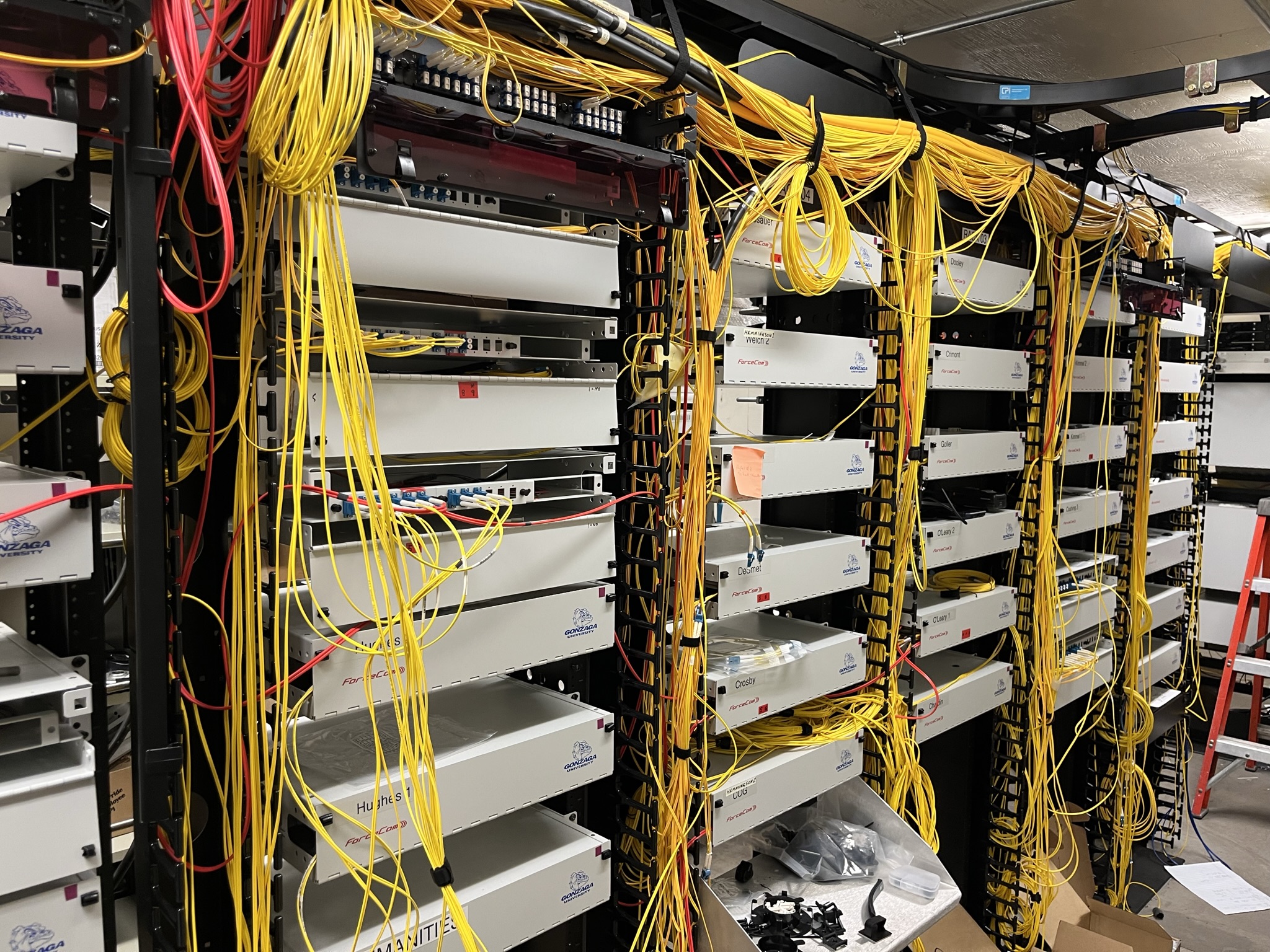
This is the part of the job I didn’t expect to do and ended up valuing the most.
Why single-mode at the core. Multimode fiber is cheaper and easier to work with — wider core, LED-compatible, forgiving of small alignment errors — and it dominates within buildings. But multimode’s bandwidth-distance product caps out around a kilometer at the speeds we’re running, and a campus the size of Gonzaga has runs longer than that. Single-mode fiber has a 9 µm core (versus 50 µm for OM4 multimode), requires laser optics, and is unforgiving of misalignment — but it carries 100 Gb without breaking a sweat over the distances campus runs need, and it has decades of headroom for future upgrades. For the spine-to-spine links and the longer leaf uplinks, single-mode is the only real choice.
LC connectors and termination. The standard at the core is the LC (Lucent Connector) — small form factor, push-pull, duplex pairs for transmit/receive. Every fiber strand has to be terminated with an LC connector, which means stripping the buffer coating, cleaving the fiber square, polishing the end face, and assembling the connector — or, more commonly, fusion-splicing a pre-polished pigtail onto the strand and protecting the splice with a heat-shrink sleeve.
Fusion splicing. A fusion splicer is a small benchtop device that aligns two fiber ends optically, then arcs them together with an electric discharge that melts the glass into a single continuous strand. Done right, the splice has near-zero optical loss and is mechanically as strong as the surrounding fiber. Done wrong, you get a high-loss splice that fails an OTDR test, or worse, a splice that passes the test cold and fails when the building’s HVAC kicks the temperature up. The technique matters: cleave geometry, alignment precision, arc duration, post-splice protection. I learned this the only way you learn it, which is by ruining a few splices first.
OTDR validation. An Optical Time-Domain Reflectometer is the field instrument for validating a fiber run. It sends laser pulses down the fiber and measures the backscatter as a function of time, which translates to loss as a function of distance. The result is a trace that looks roughly linear (the fiber’s intrinsic attenuation) with bumps at every connector and splice (insertion loss). A clean run looks like a smooth slope with small evenly-spaced bumps; a bad splice looks like a step in the trace. Before any 50 Gb LAG was cut over to live traffic, every strand was OTDR’d end-to-end, and any splice with anomalous loss got redone. The discipline matters because the alternative is finding the bad splice three months later when a building drops off the network at 4 AM and you’re tracing the issue through a fabric that was supposed to be fully redundant.
The reason I want this in the case study is that the physical layer is engineering too. It’s the layer most often hand-waved in academic networking (“assume the link is reliable”) and most often outsourced in industry (“call the cable contractor”), and that hand-waving is exactly where real network problems live. Doing the splicing myself, watching my own OTDR traces, and knowing which links I personally terminated turned the physical layer from an abstraction into a tangible piece of the system. That instinct shows up later in EN-59 (where the BGA escape and impedance-controlled RF traces are the physical layer of a different stack) and in NeuroMatrix (where the foundry-accurate PSP 103.6 verification is the analog version of an OTDR — you don’t trust the design until you’ve measured what’s actually there).
Tickets, traces, and the things that broke
Three and a half years of network work means a lot of bugs caught, some of them caused, all of them taught me something.
The ticket I dropped. Early in the job, a faculty member opened a ticket about intermittent network drops in their office. The pattern looked like flapping spanning tree — connection up for a few minutes, down for a few seconds, up again. I dug into the IDF, found nothing obvious, suggested it was probably a bad NIC on the user’s machine, closed the ticket. Two weeks later the same user opened another ticket, with the same symptoms, and the issue turned out to be a loose patch cable in a junction box one floor up that was being intermittently disturbed by HVAC vibrations. The real lesson wasn’t about the cable — it was about my own diagnostic process. When the symptom is “intermittent,” the first hypothesis should be a physical-layer problem, and the diagnostic should follow the cable, not the configuration. I’ve never closed a similar ticket the same way since.
The trace I followed too late. A multi-building network slowness incident, mid-2024. Symptoms looked like congestion — high latency, packet loss, occasional connection resets. The control plane looked fine; the leaves were healthy, the spines were healthy, BGP was stable, no link flaps. I spent two hours looking at the fabric and convinced myself there was nothing wrong. The senior on duty pulled up the optical power readings on the leaf uplinks and noticed one of them was running 3 dB lower than its peers — a degrading transceiver. Replacing it cleared the issue immediately. The lesson: the layer you’re not looking at is usually the layer the bug is on. The fabric’s control plane was so well-designed that it was masking a physical-layer degradation rather than failing over to a healthy link, because the link was barely meeting threshold and EVPN considered it up.
The configuration I almost pushed. A maintenance-window VLAN cleanup project. I had a script that was going to remove a handful of unused VLAN-to-VNI mappings from the fabric, freeing up VNI space and tidying up the config. The script’s dry-run output looked clean. I had my finger on the apply button when the senior asked me to walk through which actual leaves the change would touch, and I realized the script’s filter was off by one and would have applied the cleanup to a VLAN that was very much in use by a graduate-student lab. The change would have black-holed traffic for that lab in a way that would have been a six-hour incident to recover from. The lesson: dry-run output is necessary but not sufficient. The actual question is “what does this change touch and what depends on it,” and you have to answer that question with your own brain, not just trust the script’s filter.
These aren’t war stories for their own sake. They’re the experiences that turned textbook network engineering into something I have intuitions about.
What this role taught me, threaded into everything else
A few honest takeaways from three and a half years:
Real networks are physical objects. The academic version of networking starts from the link layer and goes up. The real version starts from the cable in your hand, the connector you’re polishing, the splice you’re protecting, and goes up from there. The first time you trace an unreliable link to a kinked patch cable is the first time you really understand why the OSI model has a layer 1.
Distributed systems are network problems first. I came into the role thinking of “the network” as plumbing for the actual computer-science work. The fabric migration taught me that distributed systems are network behavior at scale — ECMP, BGP convergence, failover, multicast behavior, are the actual primitives of any system that runs on more than one machine. NeuroMatrix’s simulation framework runs on a 12-node cluster I built myself, and the design of how that cluster talks to itself is informed directly by EVPN/VXLAN principles — flat L3 routing between nodes, ECMP across redundant links, deliberate use of multicast for distributed coordination.
Authentication is everywhere or it’s nowhere. 802.1X taught me that authentication is a stance you take across the entire stack, not a feature you bolt onto the login page. Either every action authenticates or you have a security hole. The opinion shows up directly in Ensemble’s federation model — every federation endpoint authenticates the caller, every privileged action records who did it, the layered role model exists specifically so that you don’t have endpoints making security decisions based on a flat boolean.
Observability isn’t a feature, it’s a design property. The LLDP mapper worked because LLDP was already there — the information existed, I just had to collect it. Every system I’ve designed since is shaped by the question “what does this system know about itself, automatically, that I could surface later?” That’s the same instinct as NeuroMatrix’s cross-tier consistency tests and Ensemble’s audit logging.
The senior on the other end of the radio is the most important part of the system. Most of what I know about real networks I learned by being wrong in front of someone more experienced and being corrected without judgment. The role only works because the senior network engineers at Gonzaga ITS took the time to explain why, not just what, when I made the wrong call. That’s the part of professional engineering that isn’t on the curriculum and isn’t in the documentation, and it’s the part I most want to pay forward in whatever role I’m in next.
If you’re hiring for network or infrastructure work and want to talk about EVPN fabrics, 802.1X at scale, or the LLDP mapper — email me. I have more recent project work elsewhere on this site, but this is the role that made the rest of it possible.